Free Resume Templates
Every template here is free to use and free to download. Pick one and start writing — nothing asks for a card at the end.
Each preview below is generated by the same engine that builds your PDF, filled with a complete example resume. What you see is what downloads.
3 of these 4 are single-column and safe for applicant tracking systems. That matters more than how a template looks: if you are applying through a large company's careers portal, your resume is read by a parser before a person ever sees it, and a layout the parser mis-reads can put your job title in the wrong field or lose a section entirely.
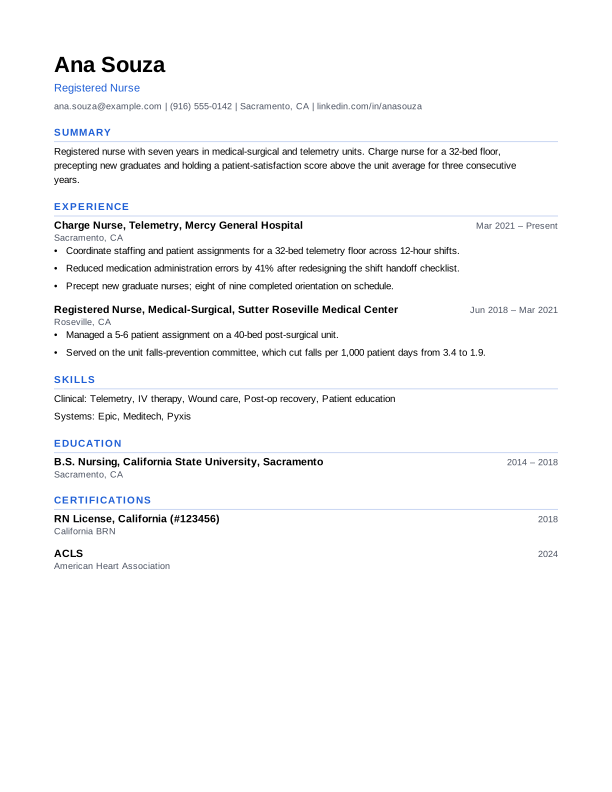
Modern
Single column · ATS-safe
A clean single-column layout in a sans-serif typeface with one accent colour on the section headings. Reads as current without using the columns, tables or graphics that applicant tracking systems mis-parse.
Use the Modern template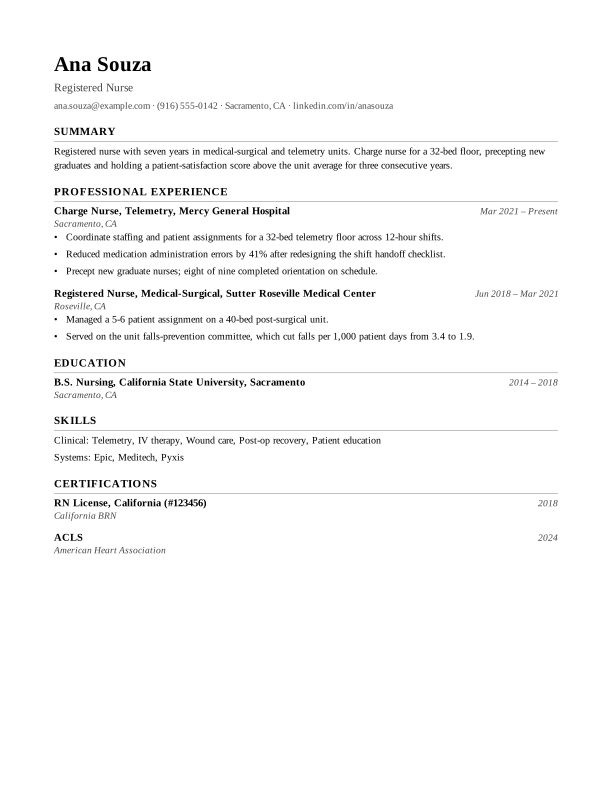
Classic
Single column · ATS-safe
A traditional single-column resume in a serif typeface. The safest choice for conservative fields like law, finance, government and academia, and the easiest for any applicant tracking system to read.
Use the Classic template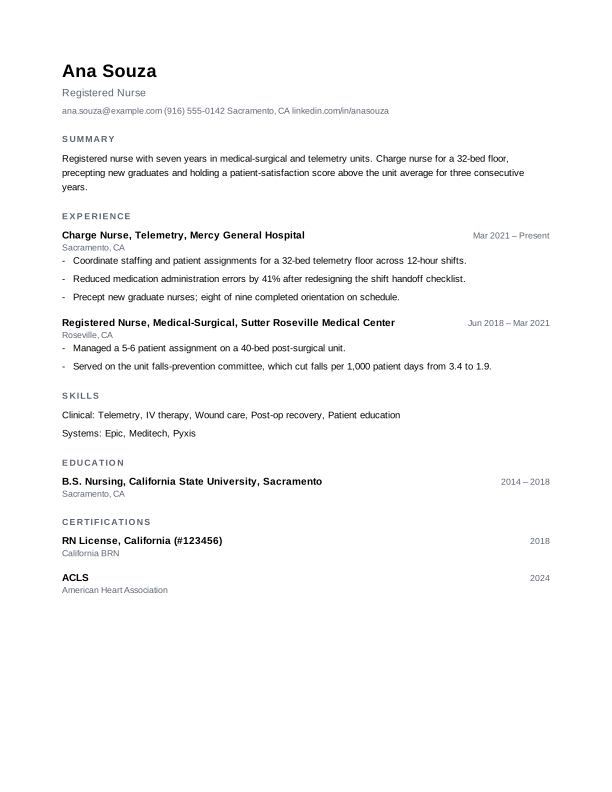
Minimal
Single column · ATS-safe
No lines, no colour, and plenty of white space. A quiet single-column layout that puts all the emphasis on what you actually wrote, and fits more on one page than it appears to.
Use the Minimal template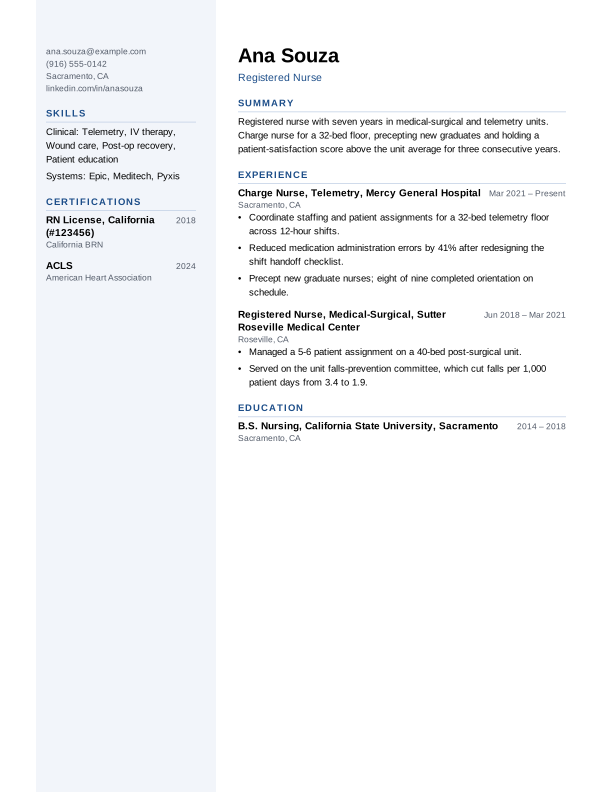
Sidebar
Two columns · read out of order by some ATS
A two-column layout with skills, certifications and contact details in a tinted sidebar. Best when a person reads your resume first, in design, marketing or agency roles. Some applicant tracking systems read two columns out of order, so use a single-column template when you are applying through a large company portal.
Use the Sidebar template
How to choose
Start with the question of who reads it first. If you are applying through a company's own careers portal or a job board, a machine reads it first, and you want a single column with ordinary section headings. If you are sending it directly to a person — a small agency, a referral, a design studio — you have more freedom, and a two-column layout can use the page better.
Beyond that, the differences are typographic rather than structural. A serif face reads as more conservative and suits law, finance, government and academia; a sans-serif reads as more current. Neither will decide whether you get an interview, so do not spend long here — the writing does the work.
What "ATS-safe" actually means
An applicant tracking system converts your PDF to plain text before anything else happens. That conversion reads a page the way a screen reader would, and it is where two-column layouts fail: the parser can run straight across the page, interleaving your sidebar with your job history into text that means nothing.
These templates avoid the things that break that conversion:
- Real text, never an image. A resume saved as a picture has nothing for a parser to read.
- Standard section headings — Experience, Education, Skills — which parsers look for by name.
- No tables, which scramble reading order.
- Nothing important in a header or footer, which some parsers skip entirely.
- Contact details in the body of the page, where they will be found.
You can check any of this yourself: open your downloaded PDF, select all the text and copy it into a plain text editor. What you get is roughly what a parser gets. If it reads in a sensible order, you are fine.